
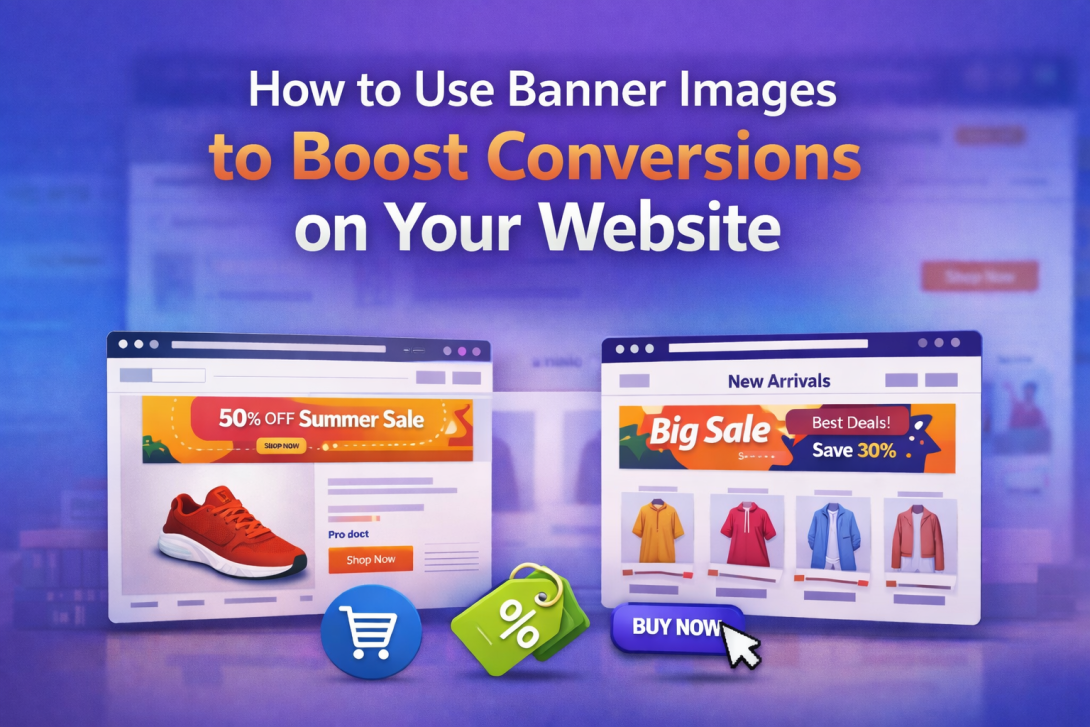
Did you know that users form an opinion about your website in just a few seconds? In that short time, visuals play a major role—and that’s where WooCommerce Banner Images become powerful.
Instead of relying only on text, banner images help you communicate offers, guide users, and improve overall experience. When used strategically, they can turn casual visitors into paying customers.
What Are WooCommerce Banner Images?
WooCommerce Banner Images are visual elements added to different sections of your online store—such as product pages, category pages, checkout, and even thank-you pages.
They are used to:
- Highlight promotions
- Showcase products
- Communicate brand messages
- Guide users through the buying journey
Unlike static images, banners are purpose-driven visuals designed to influence user behavior.
Why Banner Images Are Important for Conversions
Conversions depend heavily on how easily users understand your offer. Banners simplify that process.
Here’s how they help:
- Grab Attention Instantly
Users notice visuals before text, making banners ideal for first impressions. - Communicate Value Quickly
A well-designed banner can explain an offer in seconds. - Guide User Actions
Banners with clear calls-to-action encourage clicks and purchases. - Reduce Bounce Rate
Engaging visuals keep users on your site longer.
Using WooCommerce Banner Images effectively can improve both engagement and sales.
Types of Banner Images You Should Use
To get the most out of banners, it’s important to understand where and how to use them.
1. Product Page Banners
These banners appear on individual product pages.
Purpose:
- Highlight key features
- Promote discounts
- Build trust
They help users make faster buying decisions.
2. WooCommerce Category Banner
A WooCommerce Category Banner is displayed on category pages.
Why it matters:
- Helps users identify product categories quickly
- Makes browsing easier
- Promotes featured collections
This is especially useful for stores with multiple product types.
3. Cart and Checkout Banners
These banners target users who are close to completing a purchase.
Use them to:
- Reinforce offers
- Show limited-time deals
- Reduce cart abandonment
4. Thank You Page Banners
After a purchase, engagement is still high.
Use this space to:
- Promote related products
- Offer discounts for next purchase
- Strengthen brand connection
How to Use Banner Images Strategically
Adding banners is easy—but using them effectively requires a strategy.
1. Keep Messaging Clear and Focused
Avoid cluttering your banner with too much information.
A good banner should include:
- A short headline
- A clear offer
- A simple call-to-action
2. Use High-Quality Visuals
Low-quality images can reduce trust.
Make sure your banners:
- Are visually appealing
- Match your brand style
- Use consistent colors and fonts
3. Add Clickable Links
Banners should lead users somewhere useful.
For example:
- Product pages
- Category pages
- Special offers
This increases engagement and conversions.
4. Optimize for SEO
Many people ignore this, but it’s important.
To optimize WooCommerce Banner Images:
- Add descriptive alt text
- Use relevant keywords
- Include proper file names
This improves visibility in search engines.
5. Ensure Mobile Responsiveness
A large portion of users browse on mobile.
Your banners should:
- Adjust to different screen sizes
- Load quickly
- Remain readable
Where to Place Banner Images for Best Results
Placement is just as important as design.
High-impact locations:
- Homepage
- Product pages
- Category pages (using WooCommerce Category Banner)
- Cart and checkout pages
- Thank you pages
Each location targets users at a different stage of the buying journey.
Common Mistakes to Avoid
Even effective banners can fail if used incorrectly.
Avoid these mistakes:
- Using too many banners on one page
- Adding irrelevant or generic visuals
- Ignoring mobile users
- Not including a clear call-to-action
- Skipping SEO optimization
Practical Implementation Without Coding
One of the best things about modern WooCommerce tools is simplicity.
You can:
- Add banners to product pages
- Customize category visuals using WooCommerce Category Banner
- Display banners on checkout and thank-you pages
All of this can be done without coding, making it accessible for beginners.
How Banner Images Influence Customer Behavior
Understanding user behavior helps you use banners more effectively.
Users typically:
- Scan pages quickly
- Focus on visuals first
- Respond to clear offers
This is why WooCommerce Banner Images are so effective—they deliver information instantly and visually.
A well-designed banner can:
- Increase click-through rates
- Reduce hesitation
- Improve overall user experience
Best Practices for Long-Term Success
To get consistent results, follow these practices:
- Update banners regularly
- Test different designs and messages
- Use seasonal promotions
- Align banners with marketing campaigns
- Keep branding consistent
Conclusion
If you want to improve conversions without making complex changes, start with visuals.
WooCommerce Banner Images allow you to:
- Communicate faster
- Engage users better
- Guide purchasing decisions
And by using a WooCommerce Category Banner, you can make navigation smoother and improve the overall shopping experience.
When used strategically, banner images become more than just design elements—they become powerful tools for growth.
FAQs
1. What are WooCommerce Banner Images used for?
They are used to display promotional content, highlight products, and guide users across different pages of a WooCommerce store.
2. How does a WooCommerce Category Banner improve UX?
A WooCommerce Category Banner helps users quickly understand product categories and navigate the store more easily.
3. Do banner images affect SEO?
Yes, when optimized with alt text and keywords, they can improve search visibility.
4. Can I add banners without coding?
Yes, banners can be added and managed easily without any technical skills.
5. Where should I place banners for better conversions?
Focus on product pages, category pages, homepage, checkout, and thank-you pages for maximum impact.