

Every time you visit a website and see content tailored to your region, a location-based redirect, or a currency automatically switching to your local one, there is an ip geolocation API working quietly behind the scenes. This powerful technology reads an IP address and translates it into actionable geographic data such as country, city, timezone, ISP, and more. As businesses increasingly depend on personalized user experiences, understanding how a geolocation API works is no longer optional. Whether you are building a SaaS platform, an e-commerce store, or a media streaming service, location intelligence is a cornerstone of modern digital strategy.
What Is an IP API and How Does It Work?
An IP api is a web service that accepts an IP address as input and returns geographic and network-related metadata about that address. When a user connects to your application, their device sends a request that includes their IP address. Your server passes this IP to the ip address API, which then queries a vast database of IP-to-location mappings and returns structured data in formats like JSON or XML. This process typically happens in milliseconds, making it seamless for real-time applications. The underlying databases are continuously updated by aggregating data from internet registries, ISPs, and network infrastructure providers.
What Data Does a Geolocation API Return?
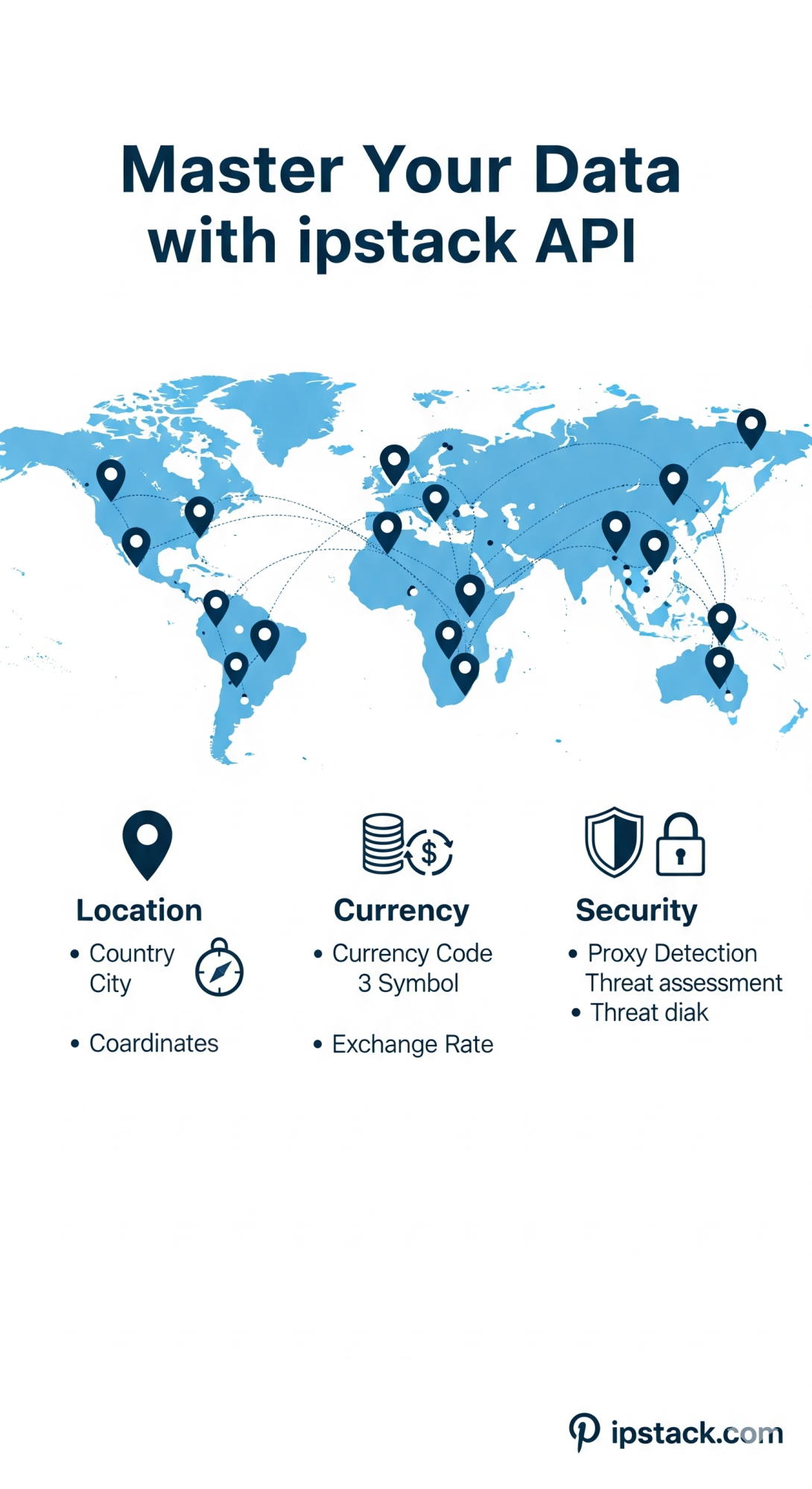
A standard geolocation ip API response goes well beyond just a country name. Depending on the provider and the tier of service, you can expect to receive a rich set of data points. Here are some of the most commonly returned fields:
- Country and region: Continent, country code, state or province, and city name.
- Location coordinates: Latitude and longitude for precise geographic mapping.
- Timezone and currency: Local timezone identifier and the currency code used in that region.
- ISP and organization: Internet service provider name, organization, and autonomous system number (ASN).
- Proxy and VPN flags: Indicators for whether the IP is associated with a VPN, proxy, or Tor exit node.
For example, if a user from Germany accesses your platform, the ip location API would return data like country: DE, city: Berlin, timezone: Europe/Berlin, and currency: EUR. This level of detail enables highly personalized user experiences right from the very first page load.
Real-World Use Cases for IP Geolocation
The applications of an ip geolocation API span nearly every industry. In e-commerce, businesses use it to automatically display prices in local currencies and adjust shipping options based on the user's detected region. Media and entertainment platforms rely on it to enforce regional licensing restrictions, ensuring content is only shown where it is legally available. Cybersecurity teams use geolocation to flag suspicious login attempts originating from unexpected countries, adding a vital layer to fraud prevention. According to various industry reports, over 70% of major online platforms implement some form of IP-based intelligence for analytics, content personalization, or security enforcement.
Geofencing API: Location Boundaries in Action
One of the most powerful extensions of IP geolocation is the geofencing api. While standard geolocation identifies where a user is, geofencing allows you to define virtual geographic boundaries and trigger specific actions when a user enters or exits those zones. For instance, a retail app might display a special promotion when a user's IP is detected within a particular city. A logistics platform could automatically route drivers differently based on their detected region. Combining a geofencing api with real-time IP data gives applications a dynamic, location-responsive behavior that greatly enhances both user engagement and operational efficiency.
Tips for Integrating an IP Location API Effectively
Successfully using an ip location API in your application requires more than just making an API call. Keep these best practices in mind to get the most out of your integration:
- Cache results per session: Always cache geolocation results for a session to minimize redundant API calls and reduce latency.
- Handle incomplete data gracefully: Not every IP address maps to a specific city, especially with mobile networks or shared corporate proxies. Plan for null or partial responses.
- Respect user privacy: Always inform users if you are collecting or using location data for personalization, and stay compliant with regulations like GDPR.
- Test across regions and IP types: Ensure your integration handles edge cases gracefully across different network types and geographic locations.
- • Implement error handling: Thorough error handling is what separates a professional integration from a brittle one. Never assume the API will always return a full response.
Understanding IP Accuracy and Limitations
No geolocation API is 100% accurate, and that is a fact developers must plan around. Country-level accuracy is typically very high, often exceeding 99%. City-level accuracy, however, can vary from 70% to 90% depending on the provider's database quality. Factors that reduce accuracy include VPN usage, proxy servers, Tor networks, and IPv6 addressing. This is why combining IP geolocation with other signals such as browser locale settings or GPS data for mobile users often yields better results. Using a robust IP api from a well-maintained provider is essential for keeping accuracy levels consistent over time.
Conclusion: Location Intelligence Starts with the Right API
IP geolocation is one of the most accessible and impactful technologies you can add to your web application. From personalizing content and enforcing regional rules to detecting fraud and powering geofencing experiences, the use cases are both broad and deeply practical. As you build or scale your platform, choosing the right ip geolocation API and pairing it with a reliable Validate IP address API ensures that your location logic is built on clean, verified data. The Validate IP address API is especially critical because acting on a malformed or spoofed IP address can lead to inaccurate results, security gaps, or broken user experiences. Together, these two tools form the foundation of any robust location-aware application. Start with solid IP validation, power it with rich geolocation data, and your app will be ready to deliver intelligent, location-responsive experiences at scale.
Frequently Asked Questions (FAQs)
1. What is the difference between a geolocation API and a geofencing API?
A geolocation API identifies where a user is located based on their IP address. A geofencing api builds on this by letting you define geographic boundaries and trigger automated responses when a user enters or exits those zones. They are complementary tools that work best when used together.
2. How accurate is an IP location API?
Country-level accuracy with a quality ip location API is typically above 99%. City-level accuracy ranges from 70% to 90%. Accuracy can be reduced by VPNs, proxies, and mobile network routing. Always choose a provider with a frequently updated database for the best results.
3. Do I need to validate IPs before using a geolocation API?
Yes. Using a Validate IP address API before querying your geolocation service is a best practice. It filters out malformed, reserved, or spoofed IP addresses that could otherwise return meaningless or misleading location data.
4. Is using an IP address API compliant with GDPR?
IP addresses can be considered personal data under GDPR. When using an ip address API, you should disclose this usage in your privacy policy, ensure data minimization, and only process location data when you have a lawful basis for doing so. Consulting a legal professional for your specific use case is always recommended.
5. Can a geolocation IP API detect VPN or proxy users?
Many advanced geolocation ip API providers include proxy and VPN detection as part of their response payload. This is particularly useful for fraud detection, enforcing access controls, or adjusting content delivery policies. Look for providers that include threat intelligence fields alongside standard location data.