
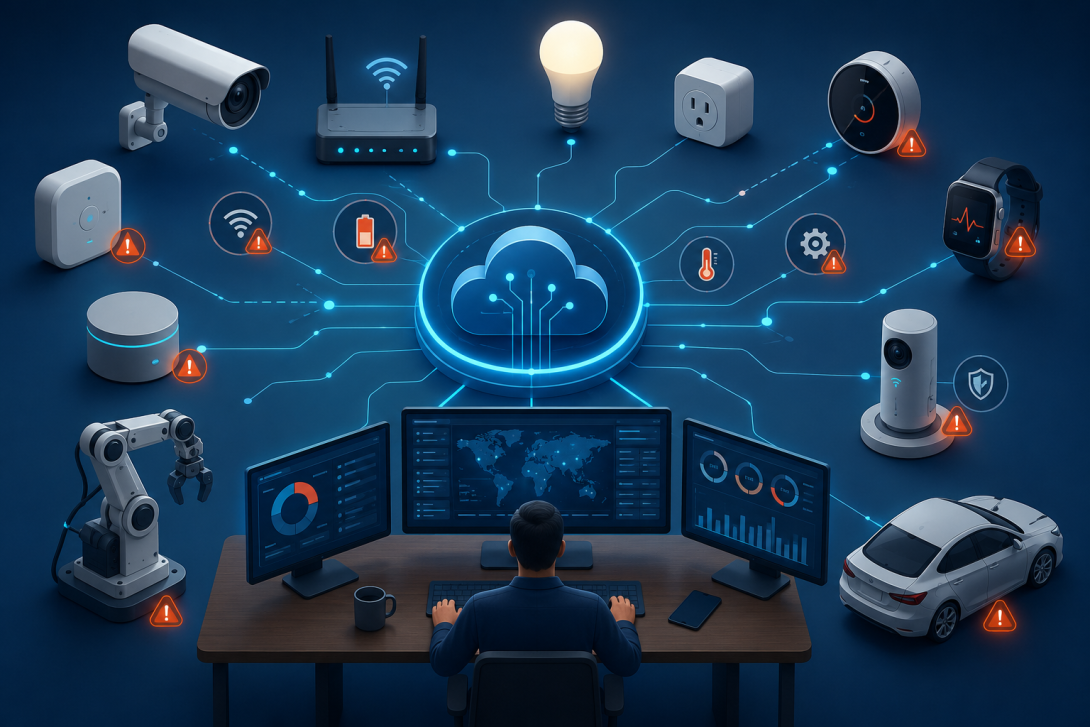
The rapid growth of the Internet of Things (IoT) has transformed industries ranging from healthcare and manufacturing to logistics, retail, and smart homes. Businesses now rely on thousands—or even millions—of connected devices to collect data, automate processes, and improve customer experiences. However, managing these devices at scale introduces new technical challenges that can impact performance, security, and reliability.
Effective IoT device support is essential for ensuring connected devices remain operational and secure. Understanding the most common failure points in smart device monitoring allows businesses to reduce downtime, improve efficiency, and deliver a better user experience.
Why IoT Device Monitoring Matters
Every connected device continuously exchanges data with applications, cloud platforms, and other devices. If any part of this communication chain fails, businesses may experience:
- Device downtime
- Lost or delayed data
- Security vulnerabilities
- Customer dissatisfaction
- Increased maintenance costs
Scalable IoT monitoring enables organizations to detect problems early, resolve issues remotely, and maintain high device availability.
Common Failure Points in Smart Device Monitoring
1. Network Connectivity Issues
Connectivity is one of the most common causes of IoT device failures. Devices may rely on Wi-Fi, Ethernet, cellular, Bluetooth, Zigbee, or LoRaWAN networks. Weak signals, network congestion, or ISP outages can interrupt communication.
Common symptoms include:
- Devices appearing offline
- Delayed sensor data
- Failed remote commands
- Frequent reconnections
Continuous network monitoring helps identify unstable connections before they affect operations.
2. Firmware and Software Problems
Outdated firmware often causes compatibility issues, performance degradation, and security vulnerabilities. Failed firmware updates may even leave devices unusable.
Typical firmware issues include:
- Interrupted update installations
- Version incompatibility
- Software bugs
- Configuration errors
Automated firmware management ensures devices remain updated without disrupting operations.
3. Power Supply Failures
Many IoT devices operate on batteries or external power sources. Low battery levels, damaged power adapters, or electrical fluctuations can cause unexpected outages.
Monitoring systems should track:
- Battery health
- Charging status
- Power consumption
- Unexpected shutdowns
Predictive alerts help schedule maintenance before devices fail completely.
4. Sensor Malfunctions
Sensors are responsible for collecting environmental and operational data. Hardware wear, physical damage, calibration issues, or environmental conditions can produce inaccurate readings.
Examples include:
- Temperature sensors reporting incorrect values
- Motion sensors failing to detect movement
- GPS devices losing location accuracy
Real-time validation helps identify abnormal sensor behavior quickly.
5. Cloud Communication Failures
Most modern IoT solutions depend on cloud platforms for analytics, storage, and device management. If cloud communication is interrupted, devices may stop reporting data or receiving commands.
Potential causes include:
- API failures
- Authentication errors
- Cloud service outages
- Certificate expiration
Monitoring cloud connectivity is critical for maintaining uninterrupted device management.
6. Security Threats
IoT devices are attractive targets for cyberattacks because many operate continuously and may have limited built-in security.
Common threats include:
- Unauthorized access
- Malware infections
- Botnet attacks
- Credential theft
- Data interception
Continuous security monitoring detects suspicious activity before it spreads across connected devices.
7. Device Configuration Errors
Incorrect settings during deployment can cause large numbers of devices to malfunction simultaneously.
Examples include:
- Wrong network credentials
- Incorrect device profiles
- Invalid communication parameters
- Improper sensor calibration
Centralized configuration management reduces deployment errors across thousands of devices.
8. Hardware Wear and Physical Damage
Devices installed in industrial environments often experience harsh operating conditions, including:
- Dust
- Moisture
- Heat
- Vibration
- Mechanical impact
Hardware degradation can gradually reduce performance before complete failure occurs.
Routine diagnostics help identify aging hardware that requires replacement.
Challenges of Scaling IoT Support
Supporting a handful of connected devices is relatively simple. Supporting tens of thousands requires sophisticated monitoring systems.
Large-scale deployments face challenges such as:
- Monitoring devices across multiple geographic regions
- Managing different hardware manufacturers
- Handling millions of daily events
- Prioritizing critical alerts
- Maintaining security compliance
- Supporting remote troubleshooting
Without centralized monitoring, identifying failures becomes increasingly difficult as device counts grow.
Best Practices for Reliable IoT Device Support
Organizations can improve uptime by following proven monitoring strategies.
Implement Real-Time Monitoring
Continuous monitoring provides immediate visibility into:
- Device health
- Connectivity status
- Resource utilization
- Error logs
- Performance metrics
Real-time alerts reduce mean time to resolution (MTTR).
Use Predictive Maintenance
Rather than waiting for failures, predictive analytics identifies warning signs before devices stop functioning.
Predictive maintenance can detect:
- Battery degradation
- Increasing error rates
- Temperature abnormalities
- Memory usage spikes
This minimizes unplanned downtime.
Enable Remote Diagnostics
Remote troubleshooting reduces service costs by allowing support teams to diagnose and resolve many issues without sending technicians onsite.
Remote support capabilities include:
- Device reboot
- Configuration updates
- Firmware deployment
- Log collection
- Performance testing
Automate Alert Management
Large IoT environments generate thousands of alerts every day. Intelligent alert filtering prevents support teams from being overwhelmed.
Automation can:
- Prioritize critical incidents
- Eliminate duplicate alerts
- Trigger predefined workflows
- Escalate unresolved issues automatically
Maintain Strong Security Practices
Security should remain part of every monitoring strategy.
Recommended measures include:
- Device authentication
- End-to-end encryption
- Regular firmware updates
- Multi-factor authentication
- Continuous vulnerability scanning
These practices reduce the risk of cyberattacks.
The Value of Outsourced IoT Device Support
As IoT ecosystems grow, many organizations choose to outsource device monitoring and technical support to experienced providers.
An outsourced IoT support team can provide:
- 24/7 monitoring
- Remote diagnostics
- Incident management
- Firmware update coordination
- Device onboarding
- Performance reporting
- Escalation management
- Multilingual customer support
This allows internal IT teams to focus on innovation while maintaining reliable device performance.
Conclusion
Scaling IoT deployments introduces challenges that go far beyond simply connecting devices. Network disruptions, firmware issues, sensor failures, cloud communication problems, power loss, and security threats can all affect operational performance if left unchecked.
By implementing proactive smart device monitoring, automated alerts, predictive maintenance, and remote troubleshooting, organizations can significantly improve device reliability and reduce downtime. For businesses managing large IoT ecosystems, partnering with an experienced IoT device support provider offers the expertise and around-the-clock monitoring needed to keep connected devices operating efficiently while ensuring a seamless user experience.